
Find a group
See who’s playing with the game dropdown, or explore Browse Groups to find some company for your next session.
How groups workCMFY Bot & Comfy Connect
Find people who love the games you do. With Comfy Connect, you can meet players, join a group or start your own—all inside our Discord.
Join Comfy Discord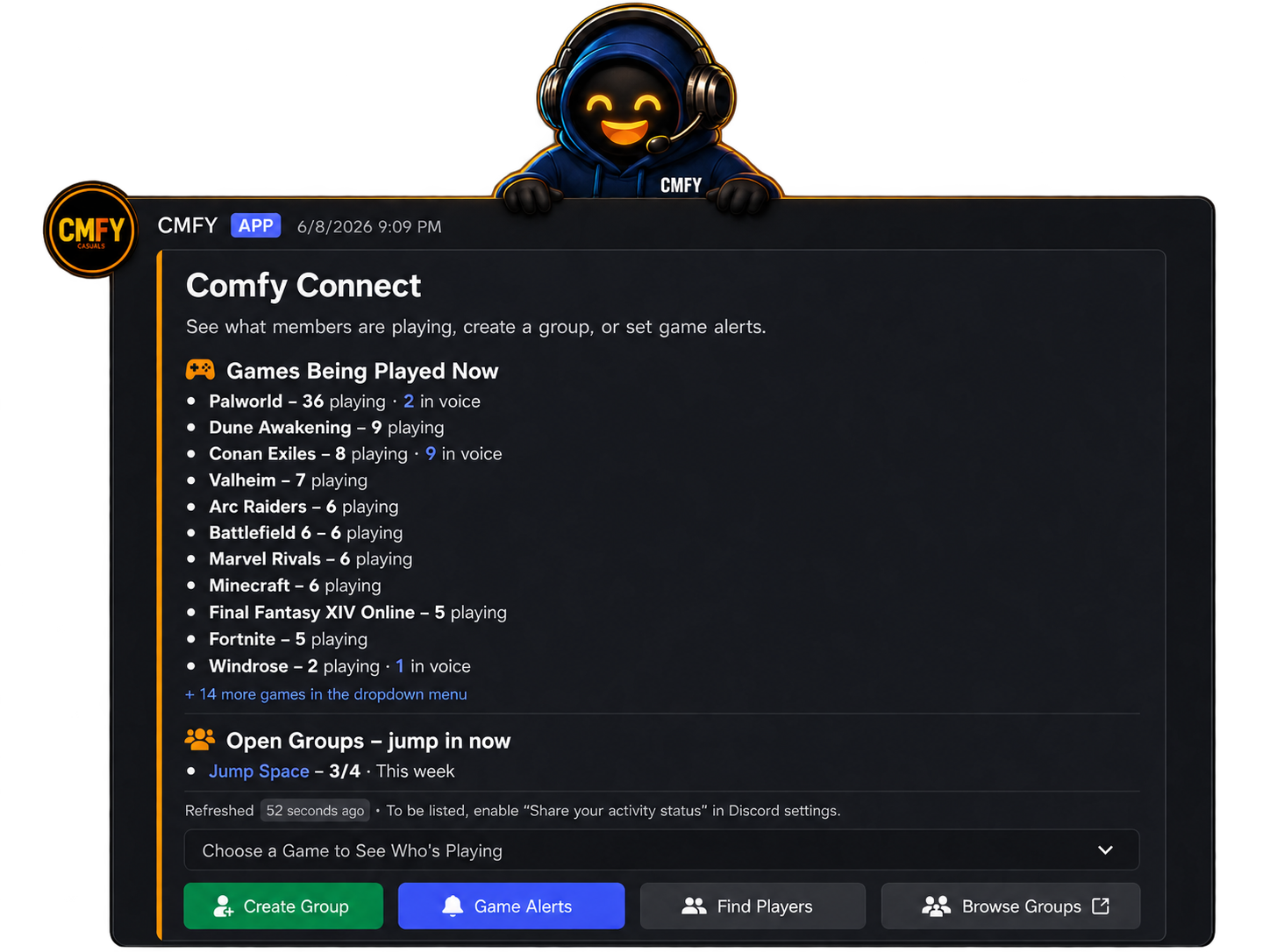
Meet CMFY, your gaming sidekick. Our community bot powers Comfy Connect, helping you find a group, meet fellow players and get a game going in Discord.
Open Comfy Connect in Discord and start with what you feel like playing.
See who’s playing with the game dropdown, or explore Browse Groups to find some company for your next session.
How groups workUse Create Group to share what you want to play and bring a few people together.
Start your own groupOpen Find Players to discover shared favourites through Comfy Cards. Let your gaming interests be the start of a conversation.
Explore Comfy CardsSet Game Alerts for new groups or public voice activity in games you love. Keep CMFY’s DMs enabled to hear about them.
How game alerts workComfy Cards
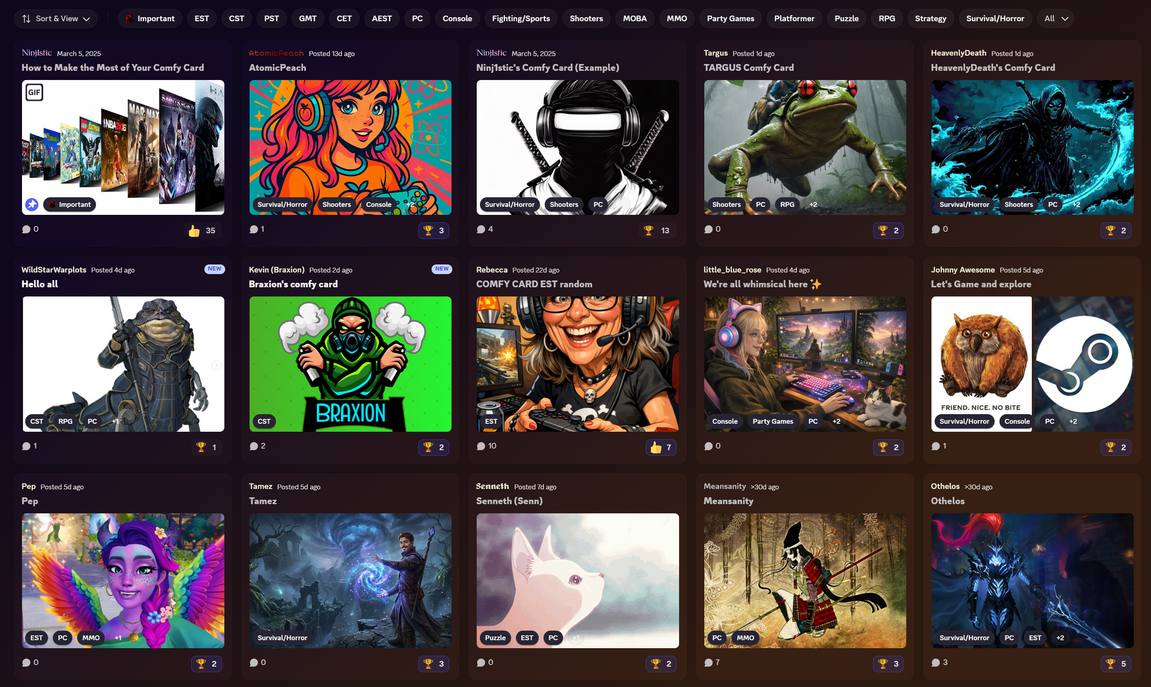
Your Comfy Card is your gaming introduction. Share what you’re playing, your all-time favourites, games you’re looking forward to and your platforms. Add your time zone and usual playing hours so people know when to find you.
CMFY suggests players with shared gaming interests and platforms. Browse their cards, find something in common and compare playing hours to see when you could team up.
Open Find Players in Comfy Connect to get started.
Looking for Group · LFG
A boss to beat. A new world to explore. A few matches together. Find a group on the Discord LFG Board, or put your own invitation out there.
Open Browse Groups in Comfy Connect. Check the group’s plan, time and roster, then join from its post. If it’s full, join the Waitlist for a chance at the next opening.
Say hello in the group’s thread and make a plan together. Joining holds your place; marking Ready lets everyone know you can play.
No Comfy Card required. Your game doesn’t need a Comfy-hosted server.
Put the invitation out there. CMFY helps you bring everyone together.
Choose Create Group. Set the game, timing and total players, including you. Add your goal, platform, playstyle or voice preference.
Check the preview, then publish to the LFG Board. An optional role alert and members’ own Game Alerts can help people discover your group.
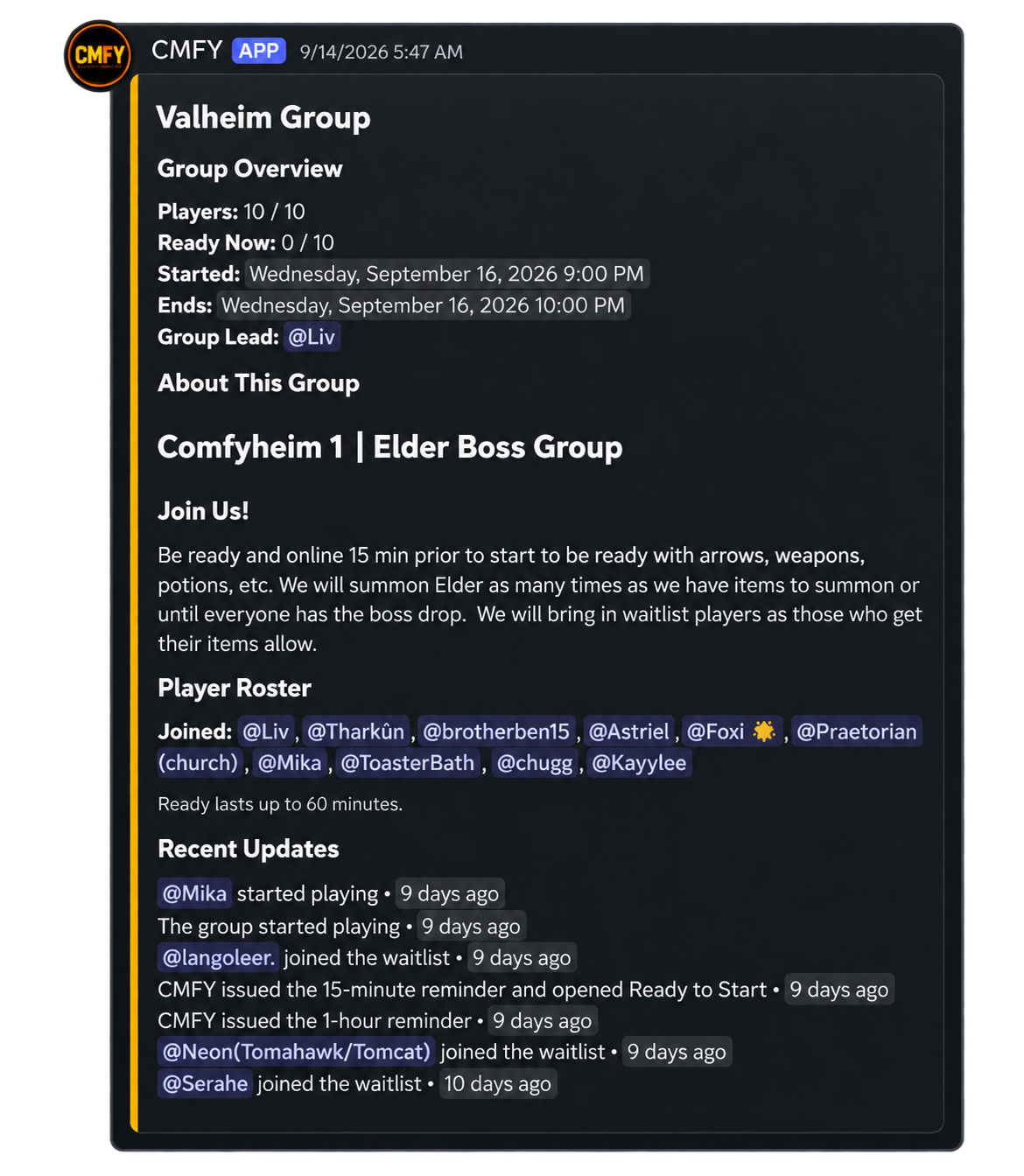
Your post keeps the roster, timing and updates in one place. Chat in the thread, mark yourselves Ready and get a session going.
Open Browse Groups in Comfy Connect to see what people are planning on the LFG Board. Pick a group, check the details and join something you’d enjoy.
Want to narrow it down? Open Find Players or type /comfy for your private CMFY hub. Inside that private hub, Play Now shows groups for now or today, including sessions already going. Plan for Later shows future plans and groups you can return to.
My Groups keeps your groups, reservations, waitlists and spot offers in one place.
Have something in mind? Choose Create Group, enter any game and set 2–100 players, including you. Add a few words about what you’d like to do, check the preview and publish.
You can also choose an optional role alert, where offered, to let interested members know about your group.
Choose Join to take a place. Plans changed? Use Leave to free it up. If the lead reserves a spot for you, confirm the invitation to join.
No spots left? Join the Waitlist and see where you are in line. When CMFY offers you a place, you have 10 minutes to Claim Spot or Pass. You can leave the waitlist or choose Create Another Group whenever you prefer.
A reserved spot or an offer holds a place for you. Confirm or claim it to join, then mark Ready when you can play.
Choose Ready when you’re set to play. It stays active for up to 60 minutes. Once two joined players are Ready, the lead or a ready member can choose Start Playing or Start Session.
You don’t have to fill every spot or wait for everyone. You’ll be asked to confirm if some members aren’t ready yet, and people can still join open spots after you start. Choosing Ready on its own won’t start the session.
Set a date, time and time zone for a Scheduled Event. Discord shows the time in each person’s local time zone. Planning something longer? The end date can be up to 14 calendar days after the start.
CMFY can DM joined members 1 hour and 15 minutes before the start. You can mark Ready from 15 minutes beforehand. Keep CMFY’s DMs enabled so the reminders can reach you.
Still working out the time? Choose Time TBD and gather people first. Set an exact start before anyone can mark Ready or start playing. Members who only have a reserved spot get the 15-minute prompt to confirm it.
Set Game Alerts for games you love. CMFY can DM you when a new group appears, when there’s eligible public voice activity, or both.
Watch up to five games for two weeks, 30 days or 60 days. You can snooze alerts for 24 hours or stop them whenever you like.
Or just ask in LFG Lounge: “Anyone playing Valheim?” When CMFY recognises the request, it can help you find a group, see who’s playing or start a group of your own. Optional Comfy Cards help you discover players with shared interests too.
Chat in your group’s thread, or choose Voice to create or open a room. To create one, join the group first and mark Ready if the session hasn’t started. For scheduled events, that becomes available 15 minutes before the start. Voice is always optional.
Next 3 Days, This Week and Scheduled Event groups can get together again while the post stays open. The lead can use Reset Roster when available to make room for the next session; scheduled groups offer it after their first session.
When the group closes, its thread is archived. If people are still in the group’s voice room, it stays until everyone leaves.
Choose Manage → Run Ready Check to ask your joined members who can play now. They have 10 minutes to respond in their DM or on the group panel.
This clears earlier Ready marks so you get a fresh answer. If you’re on the roster, starting the check marks you ready too. Anyone who doesn’t reply stays unconfirmed, and the thread shows a summary of the responses.
For scheduled events, wait until 15 minutes before the start to run a check. You still choose when to start the session.
Plans can change. Open Manage on the group post or Manage Group in the DM CMFY sends you to update the details and keep everyone in the loop.
Available controls depend on where your group is in its session. Keep CMFY’s DMs enabled for private updates and Ready Check invitations.
No—you can jump into groups or create your own without a card. Make one whenever you’d like to share your interests and give other members a way to discover you.
The public activity feed shows community totals and eligible public voice channel names. It excludes member identities and private-channel activity. These figures describe Discord community activity, not player counts on Comfy-hosted servers.
Join our Discord, follow the welcome steps and open Comfy Connect. Find a familiar game, say hello to someone new and see what you could play together.